
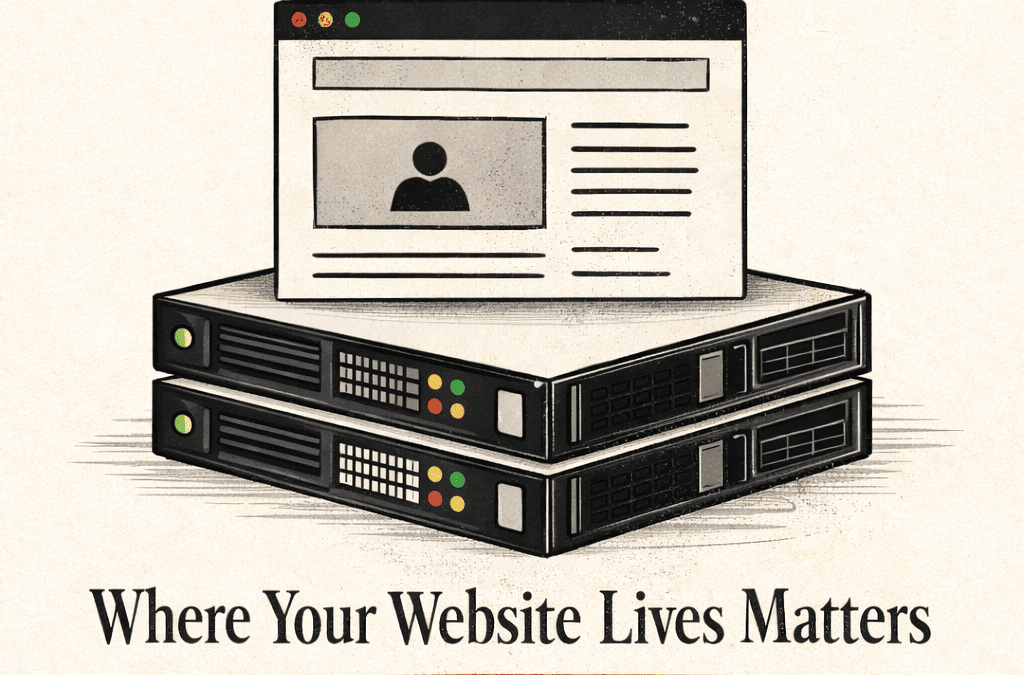
Hosting is the part of your website nobody sees — which is exactly why so many businesses get it wrong. Your host is not a file cabinet. It's the foundation your entire digital presence is built on.
Imagine you've just signed a lease on the perfect retail space. Great neighborhood, high foot traffic, beautiful windows. Now imagine the landlord also rents space to 800 other businesses in the same building — sharing the same electrical system, the same plumbing, the same front door. When one tenant has a flood, everyone gets wet. That's shared hosting.
Most small business websites live there. Not because their owners chose it knowingly, but because nobody explained the alternative — and because shared hosting is cheap. It's the hosting equivalent of the $1 website: it gets you in the door, but the door is a revolving one.
Hosting is invisible infrastructure. When it works, you never think about it. When it doesn't, your business pays the price in ways that are often invisible too — slow load times, search engine penalties, lost conversions, security vulnerabilities. The cost of bad hosting rarely shows up as a single line item. It bleeds out slowly.
Let's Talk About What Hosting Actually Is
At its core, web hosting is rented space on a computer (a server) that stores your website's files and delivers them to anyone who types your URL. That server is connected to the internet 24/7, and every time someone visits your site, it responds to their request.
Simple enough. But here's where it gets consequential: not all servers are equal, and not all hosting environments are configured the same way. The hardware matters. The network matters. The software stack matters. The physical location of the data center matters. And critically — who else is on that server, and what they're doing, matters too.
Server response time (TTFB) — Time to First Byte — is how long it takes a server to begin responding to a browser request. Google recommends under 200ms. Cheap shared hosting frequently delivers 600ms–1200ms. That gap is felt by your visitors before a single pixel renders.
The Hosting Spectrum: Know What You're Buying
Not all hosting is the same category of product. Here's an honest breakdown of the landscape:
| Type | What It Means | Best For | Reality Check |
|---|---|---|---|
| Shared | Your site shares a server with hundreds of others | Personal blogs, placeholders | High Risk |
| VPS | Virtual Private Server — partitioned resources, still shared hardware | Growing businesses with moderate traffic | Moderate |
| Managed WP | WordPress-optimized servers with automated updates, backups, security | Most professional WordPress sites | Recommended |
| Dedicated | An entire server exclusively for your site | High-traffic, enterprise, ecommerce | Best Performance |
| Cloud/Edge | Distributed infrastructure across global data centers | Modern apps, global audiences | Scalable |
For most small-to-mid-sized businesses, managed WordPress hosting is the sweet spot. Providers like WP Engine, Kinsta, and Flywheel exist specifically to run WordPress sites at scale — with security patches applied automatically, daily backups, staging environments, and infrastructure tuned for WordPress performance. You're not just renting disk space; you're buying a managed environment.
Speed Is Not a Luxury. It's Revenue.
Page speed is the metric that ties everything together. It affects how your visitors feel, whether Google ranks you, and whether a potential customer stays or bounces. The research on this is blunt:
Your host is the single biggest variable in your site's speed. A beautifully optimized website on a bad host will still underperform. Conversely, a well-hosted site with proper caching, a CDN, and server-side compression can load in under a second even with rich media.
CDN (Content Delivery Network) — A globally distributed network of servers that stores cached copies of your site's assets closer to your visitors. Instead of every request routing back to one server in Dallas, a visitor in Tokyo gets files from a server in Tokyo. The result: dramatically faster load times everywhere.
Security: The Argument You Hope You Never Have to Make
In 2024, over 30,000 websites were hacked every single day. The overwhelming majority were on shared or under-managed hosting environments. This isn't scare tactics — it's arithmetic. Cheap hosting means minimal security configuration, infrequent patching, and no isolation between tenants. If your neighbor on the shared server gets compromised, your site can be too.
A hacked website doesn't just go offline. It gets denylisted by Google, flagged by browsers, and stripped from search results. Recovery takes weeks. The brand damage takes longer.
Good hosting includes SSL certificates as a baseline (not an upsell), automatic malware scanning, DDoS protection, firewall rules, and isolated environments so that other tenants' problems stay their problems. It also means backups — automated, off-site, and restorable with a click. Not backups you remember to take. Backups that happen whether you think about them or not.
Uptime: The Number That Defines Availability
Every host advertises uptime. "99.9% uptime!" sounds reassuring until you do the math: 99.9% uptime still means 8.7 hours of downtime per year. At peak traffic moments. On the day of your product launch. During the holiday rush. Good managed hosts target 99.99% — which is about 52 minutes of downtime annually, and most of that is scheduled maintenance.
When evaluating a host, look for SLAs (Service Level Agreements) that back their uptime claims with actual compensation, not just apologies.
What the Right Host Actually Looks Like
When 11:11 Designs evaluates hosting for a client, here's the checklist we work from:
- Managed environment with automatic WordPress/platform core updates
- Daily automated backups with one-click restore
- Free SSL and automatic renewal
- Built-in CDN or CDN integration (Cloudflare, Fastly, or similar)
- Staging environment for testing updates before they go live
- Proactive malware scanning and firewall rules
- 99.99% uptime SLA with compensation terms
- Human support — not just documentation and bots
- Server infrastructure in a region appropriate for your primary audience
None of this is far out there. It's the baseline for professional hosting. It also costs more than $1 a month — and it's worth every penny of the difference.
Your website can't do its job if it's slow, compromised, or offline. Before you spend a dollar on ads, content, or branding, make sure the foundation is solid. Everything else you build is only as strong as where it lives.
Next in this series, we turn to the part everyone thinks about first but that matters most when it's built on the right foundation: design as infrastructure — why your UX decisions are financial decisions, and what good design actually costs versus what bad design costs you.
Not sure what's running under your website?
We'll audit your current hosting setup, flag the gaps, and give you a clear picture of what you actually have — no obligation, no jargon.