
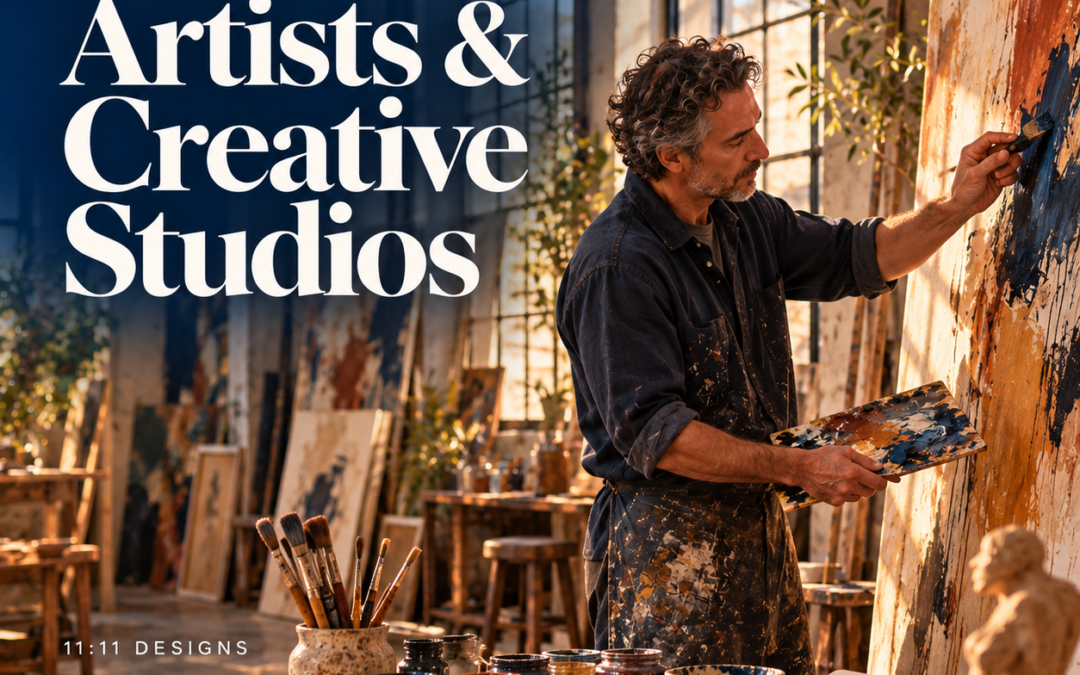
The work is the point. A website for an artist, photographer, or creative studio has one primary job, which is to present the work so well that the visitor forgets they are looking at a website. Then it has a second job, which is to make money, and the two are usually in tension.
Most artist sites fail on the first job through a portfolio that loads slowly, crops images wrong on a phone, and forces visitors through a slideshow. They fail on the second by having no obvious way to buy, commission, license, or represent the work.
This is the checklist we use. It applies to a painter with one body of work and a studio with a dozen clients.
1. A portfolio that loads and looks right
Speed is a design decision. A gallery of forty full-resolution images will take fifteen seconds on a phone and most visitors will leave at four. Serve images in modern formats (AVIF or WebP), sized for the screen that is requesting them, lazy-loaded as the visitor scrolls, on a host with a content delivery network.
Then get out of the way. Generous whitespace, a neutral ground, no drop shadows or frames around the work, no slideshow that advances before the viewer is ready. Group by series or project, with a short statement per group, and let the viewer control the pace.
For Victorious Pictures, an entertainment company with eleven properties across film, television, publishing, and games, the central problem was letting each project keep its own visual identity without fragmenting the whole. The solution was a consistent page architecture that held the system together while artwork, tone, and content varied per project. A studio portfolio faces exactly the same problem.
2. Captions that do the curator’s work
Every image needs title, year, medium, dimensions, and availability. Curators, collectors, and editors look for this immediately and are quietly frustrated when it is missing. For photographers and studios, the client, the role, and the year. This is also the text that lets search engines find the work at all, since they cannot see it.
3. A CV page curators can scan in a minute
Not an About page with a story, though you should have one of those too. A plain, chronological CV: education, solo and group exhibitions, collections, awards, publications, press, residencies. Formatted as text on the page, with a PDF download. Institutions ask for this constantly and it should never require an email.
4. Be honest about image protection
Right-click disabling does not protect images. Anyone who wants a file can take a screenshot, and the disabling breaks accessibility and annoys legitimate visitors. What actually helps: serve display images at screen resolution only, keep print-resolution files off the public site, embed copyright metadata in every file, add a discreet copyright line in the caption, and register work with the Copyright Office if it matters enough to enforce.
A clear licensing page does more than any technical measure. State how people can use the work, what it costs, and how to ask. Most infringement is laziness rather than malice; make the legitimate path easy.
5. Inquiry flows for commissions, representation, and press
“Contact” is not enough. A collector inquiring about a piece, a gallery inquiring about representation, a magazine inquiring about an image, and a client inquiring about a commission all need different information from you and need to give you different information.
A short form per intent, or one form with a first question that branches. Commission inquiries ask about scope, timeline, and budget range. Press inquiries link to a downloadable kit with high-resolution images and a bio. Sales inquiries name the piece. Each form tells the person what happens next.
6. Selling without the marketplace’s cut
Marketplaces take a percentage and own the customer relationship. A simple store on your own site sells originals, editions, and prints with a real checkout and your own mailing list. Keep it small: a handful of available works with clear prices, edition sizes, shipping terms, and a certificate of authenticity policy.
For a studio, this is less a store than a clear services page with a way to start a conversation and, if it fits, a deposit or retainer paid online.
7. A mailing list, because algorithms are not a plan
Social platforms decide who sees the work, and their decisions change. An email list of collectors, clients, and fans is the only audience you own. A signup that offers something real, such as first access to new work or a studio note a few times a year, placed where visitors are already engaged.
8. Accessibility for visual work
It sounds contradictory and it is not. Alt text that describes the work in a sentence makes it available to blind and low-vision visitors, and it is what search engines read. Real text rather than text in images. Contrast on captions. Video with captions. A keyboard-navigable gallery. Institutions and public funders increasingly require this of the artists they work with.
9. The boring foundation
Image-heavy sites need good hosting more than most: a CDN, image optimization, and a server that does not choke when a piece is shared widely. HTTPS, a maintained WordPress install, backups, and a firewall. If you sell, the payment processor handles cards; your site should never touch them.
10. What to leave out
A splash page. Background music. A slideshow you cannot pause. Watermarks across the work. Parallax. “Coming soon” sections. A shop with nothing in it. A blog abandoned in 2022. Any of these makes a visitor feel the site is unfinished, and they will assume the same about the practice.
Case study: Victorious Pictures
Eleven distinct properties under one cinematic identity, built to grow.
The best artist websites feel like a well-lit room with the work on the walls and someone quietly available in the corner to answer questions. That is what we build.
If yours is not doing that, we can help. We have worked with studios, production companies, and individual artists, and we handle the technical parts so you can stay in the studio.
How we help Artists & Creative Studios →
This article is general information, not legal advice. Copyright registration, licensing terms, and sales tax obligations vary; confirm yours with counsel or an accountant.